Digital Financial Planning Tool
Bank of Montreal (BMO)
TL;DR: I am the lead designer behind BMO WealthPath, an intuitive, digital, goals-based financial planning platform that simplifies the process for financial advisors to identify, set, and help achieve clear financial goals that fit the needs of their clients.
I am responsible for the discovery, research, design, animation, usability testing phases for their client facing portal of this tool.
Industry:
Finance
Role:
UI/UX Designer
Year:
2019
Problem
Financial planners are now facing challenges of moving from a traditional planning approach to a new digital way to engage clients in wealth conversations. Lack of engagement is known to be a comment issue and we conducted a 3-day workshop to interview both clients and advisors reconfirmed that this is the problem we need to solve.
60 mins + 180 mins + 0 mins = a wealth plan
Before walking in any bank, clients on average need one hour to prepare documents and gather information. Advisors on average book 3 consecutive meetings to set up a plan with clients. After the plan is set up, there is no follow up process for advisors to keep track of clients' life changes, and clients cannot communicate with advisors on when the market fluctuates.
Objective
The goal of this tool is to design a user experience that is:
Simple - Users will be able to access and incorporate into the planning process seamlessly. The process is modular, customized, and meet changing needs.
Engaging - The approach is customer focus. Planning is relevant to the client's interests and practice. "Clients are human not robots."
Flexible - Clients will be able to work with scenarios and see progress on goals.
Results
The product was launched targeting Mass affluent who holds an investable asset of more than $250K. Possibly extend to all asset groups with project success. In a few weeks, we are hearing positive feedbacks from both our advisors and clients.
Advisor: Tracked increased client numbers and managing assets. "After completing just four plans I was able to consolidate over $1.6MM in assets".
Clients: Tracked increased log in duration, retention, and interactive plan creation. "I choose this bank because of the portal."
Design Iterations
Process
I ran a total of six rounds of in-person testing and unmoderated online testing throughout the design process.
Here are some detail findings and how I used them to iterate the design:
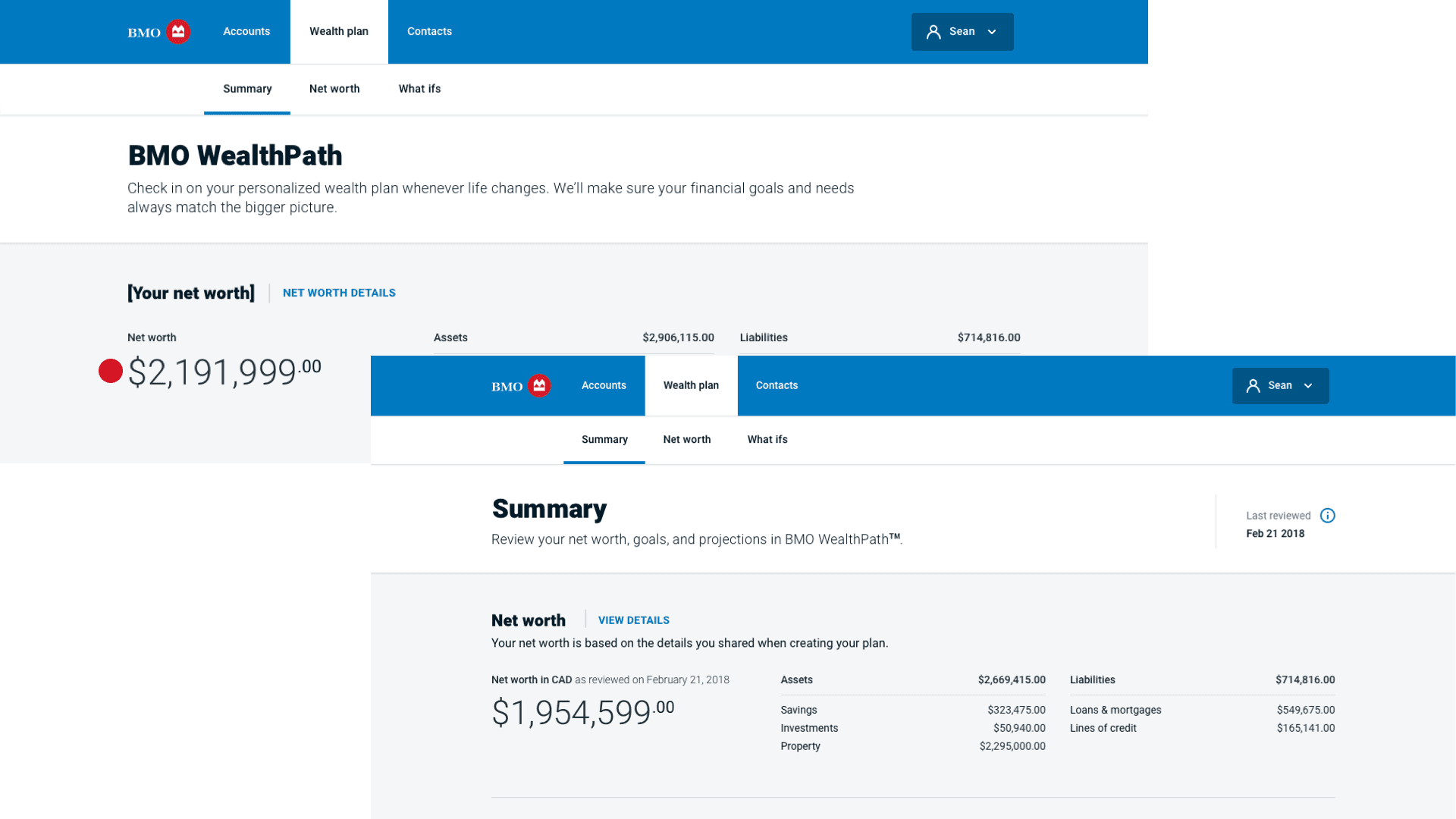
*Legend: Red dot means a critical usability issue. Orange dot means a moderate usability issue. Green dot means positive user feedback.
Net Worth
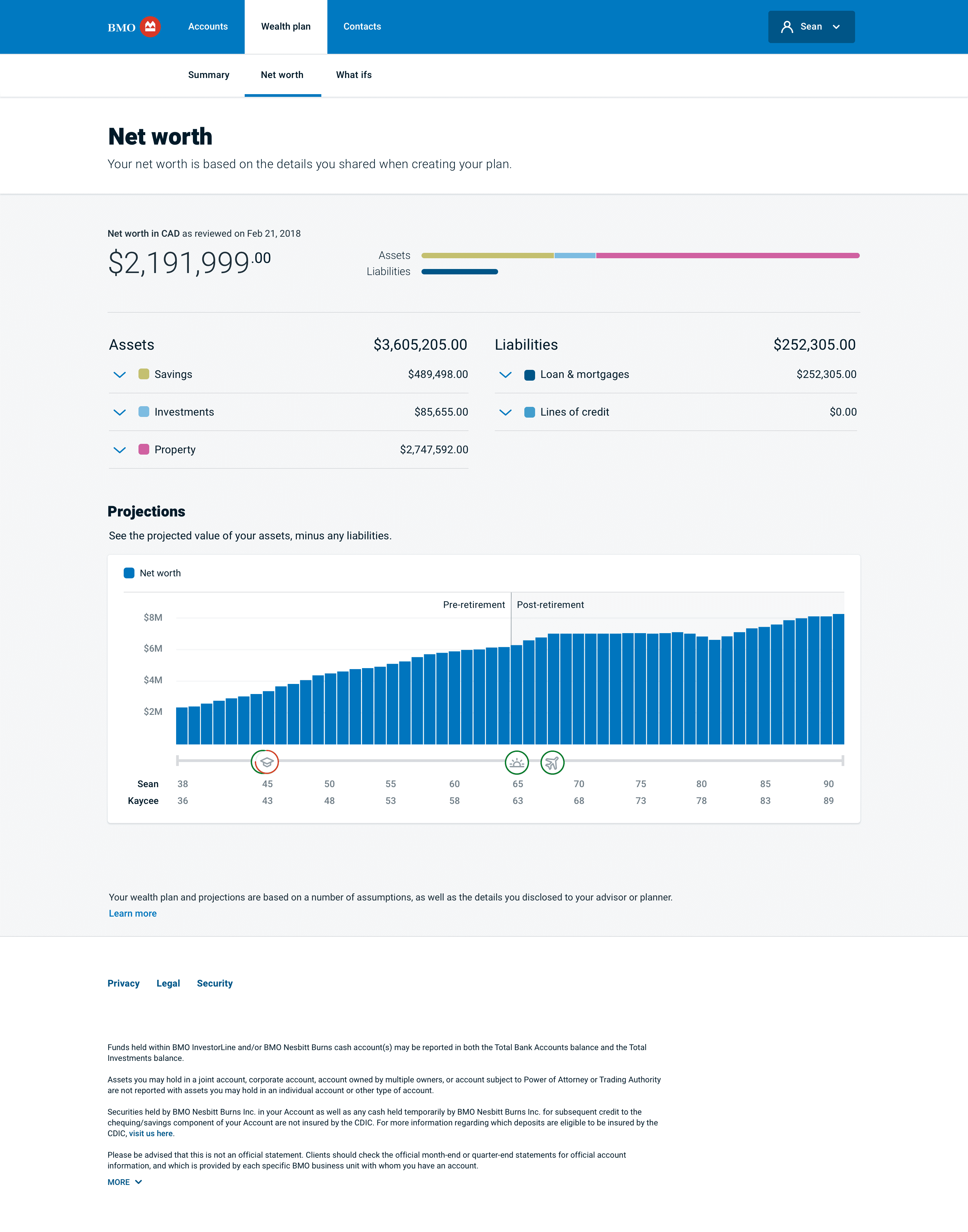
Client's net worth details were placed on the top of the page because research shows that user wants to see numbers first when they log in. Users also care about the time it gets updated so a timestamp was added to provide this information.
Financial goals
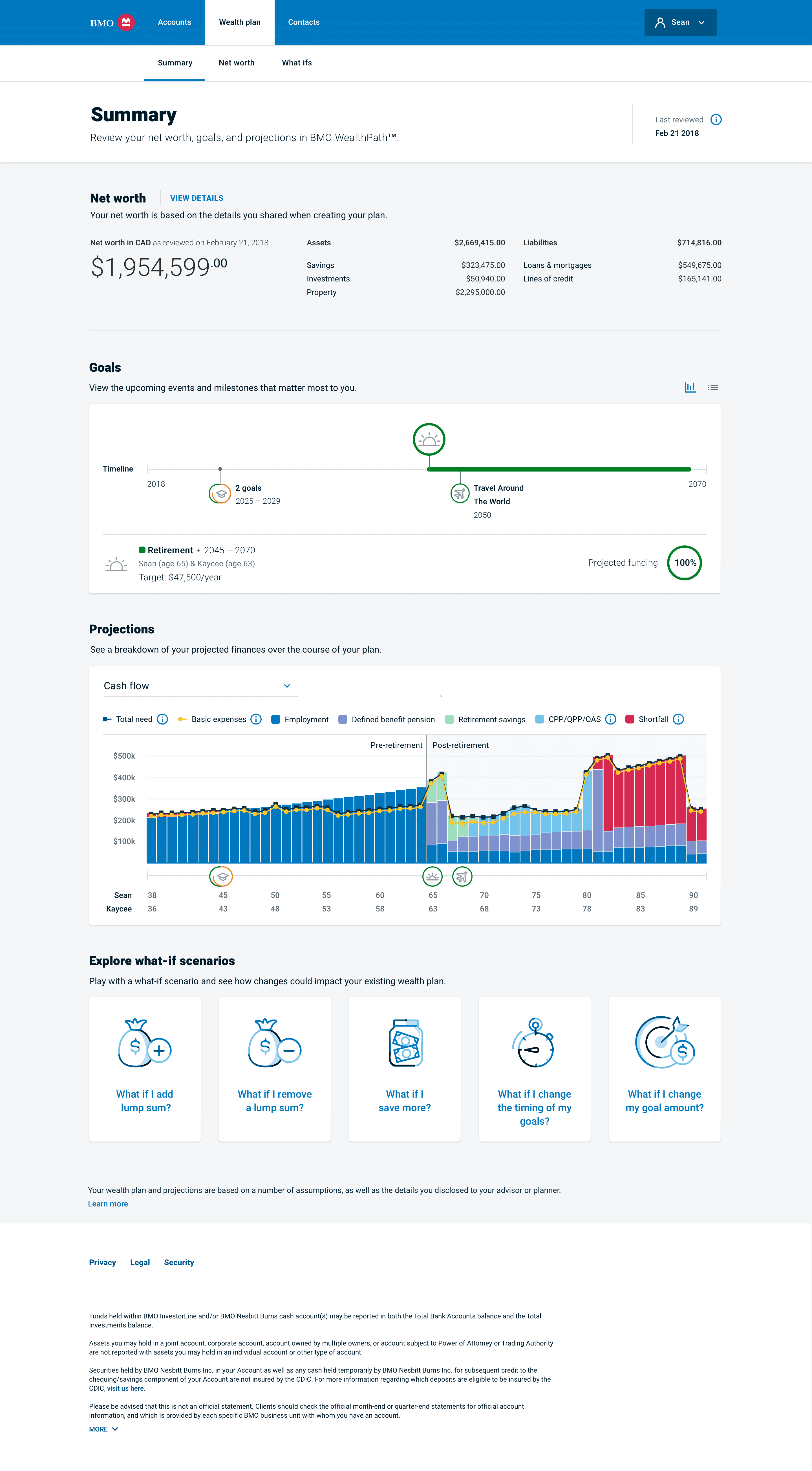
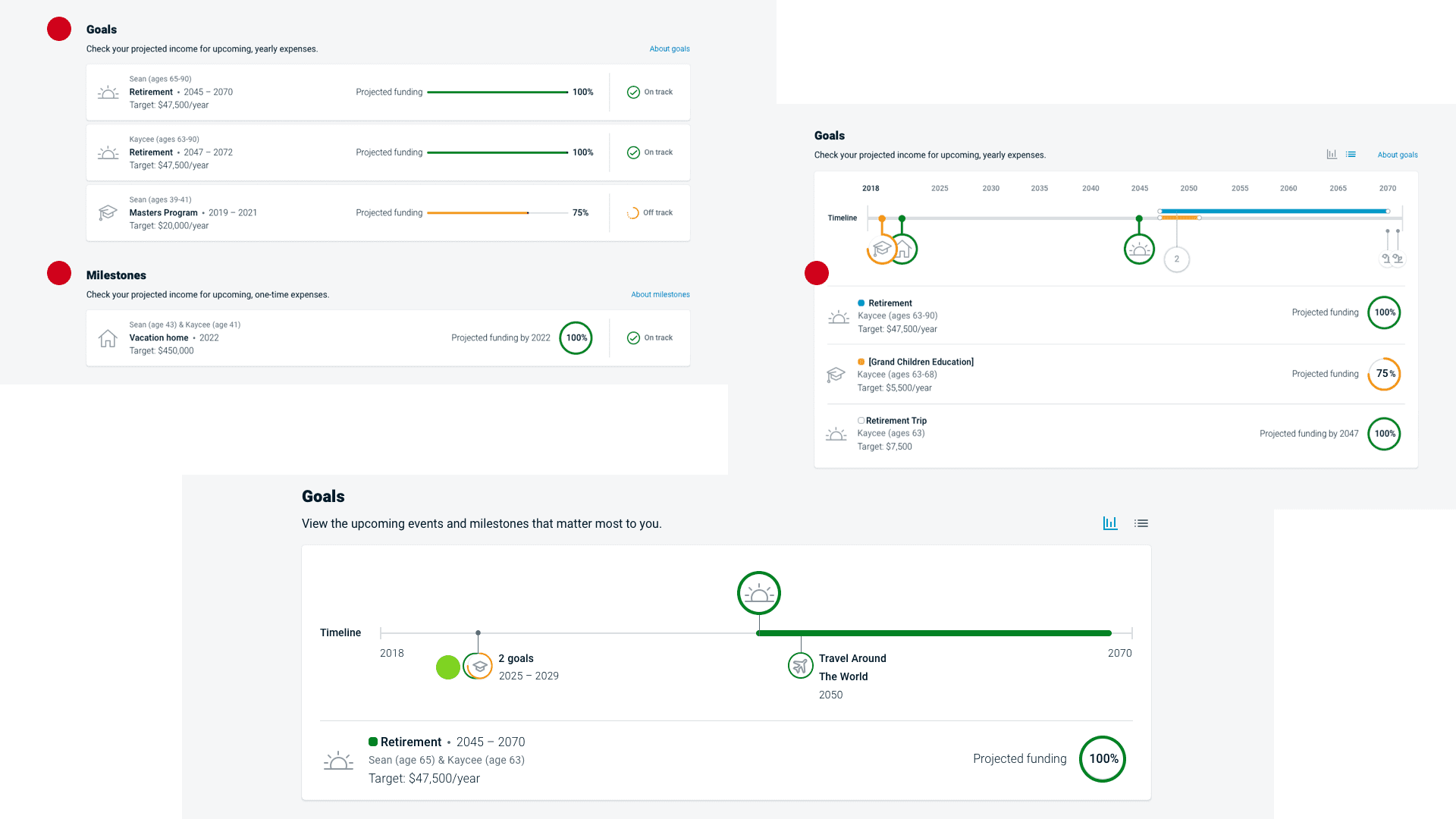
Setting up financial goals is the most important step in the planning process. In the first iteration, our first testing had shown that the user didn't understand the differences between single-year and multi-year goals. In the second iteration, these two types of goals are combined. And I choose to show a full list of goals with a timeline to show how a client's goals occur during their lifetime. After testing with financial advisors, I learned that for joint plans, it usually starts with 6 goals at least. In this scenario, a full list will take up space on the page hence push other information to a lower point. This is not ideal for a dashboard experience so I decided to show a goal timeline only. In the final iteration, the user can choose to interact with goal icons to view more details. Or they can switch to a list view to see all goals. In the testing, all users said goal pins are the first thing they would interact with.
Financial chart
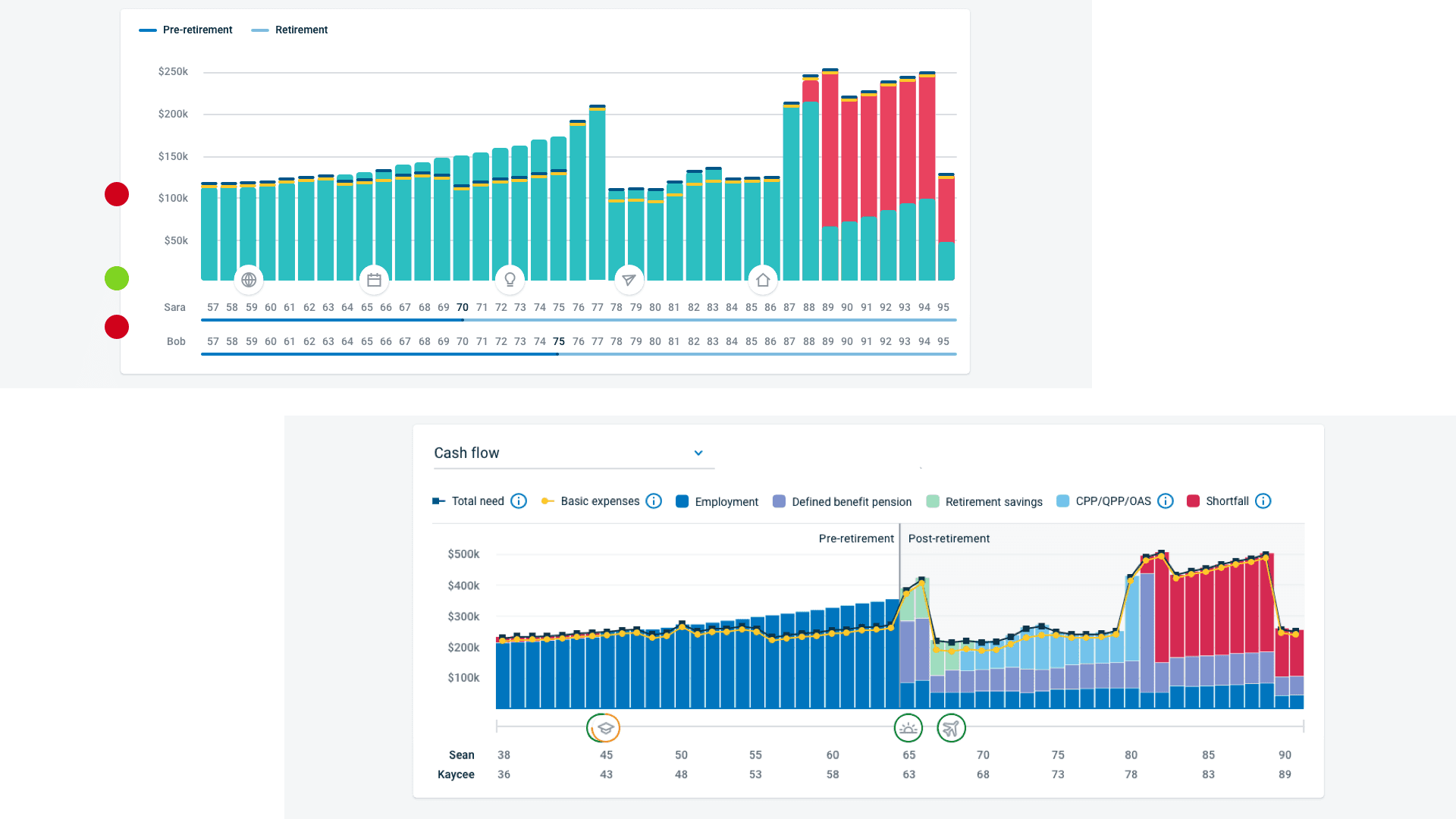
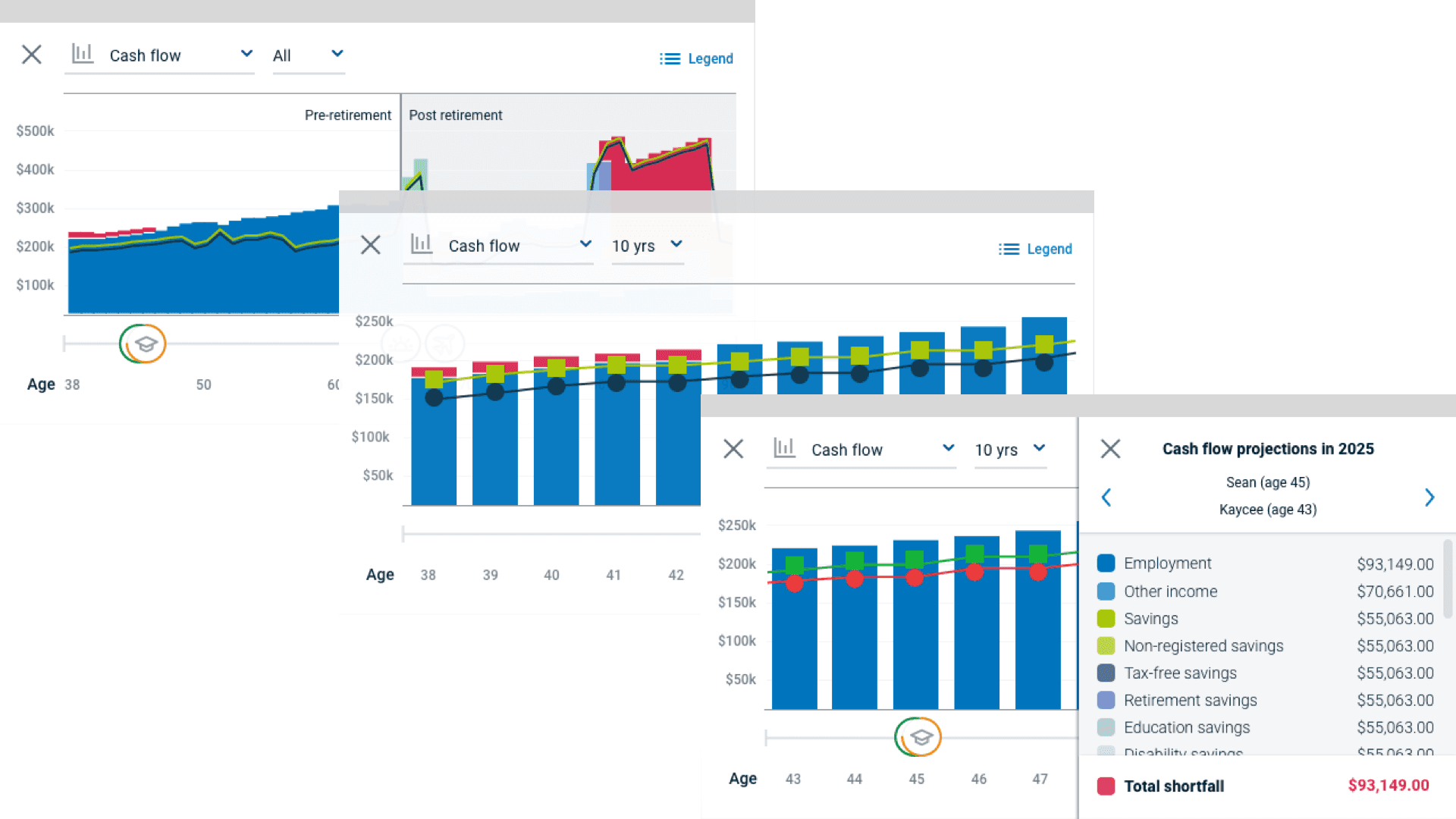
A detailed financial chart was required for clients who want to dig deeper into their financial picture. One feedback for the first iteration was that the design did not provide enough details for users to read the chart. The other feedback was that the age timeline being too overwhelming with lots of numbers. In the final iteration, I added legends and tooltips and simplified the age timeline. One positive feedback was that users like the goals embedded with the financial chart which I kept for the final version.
Interactive planning feature
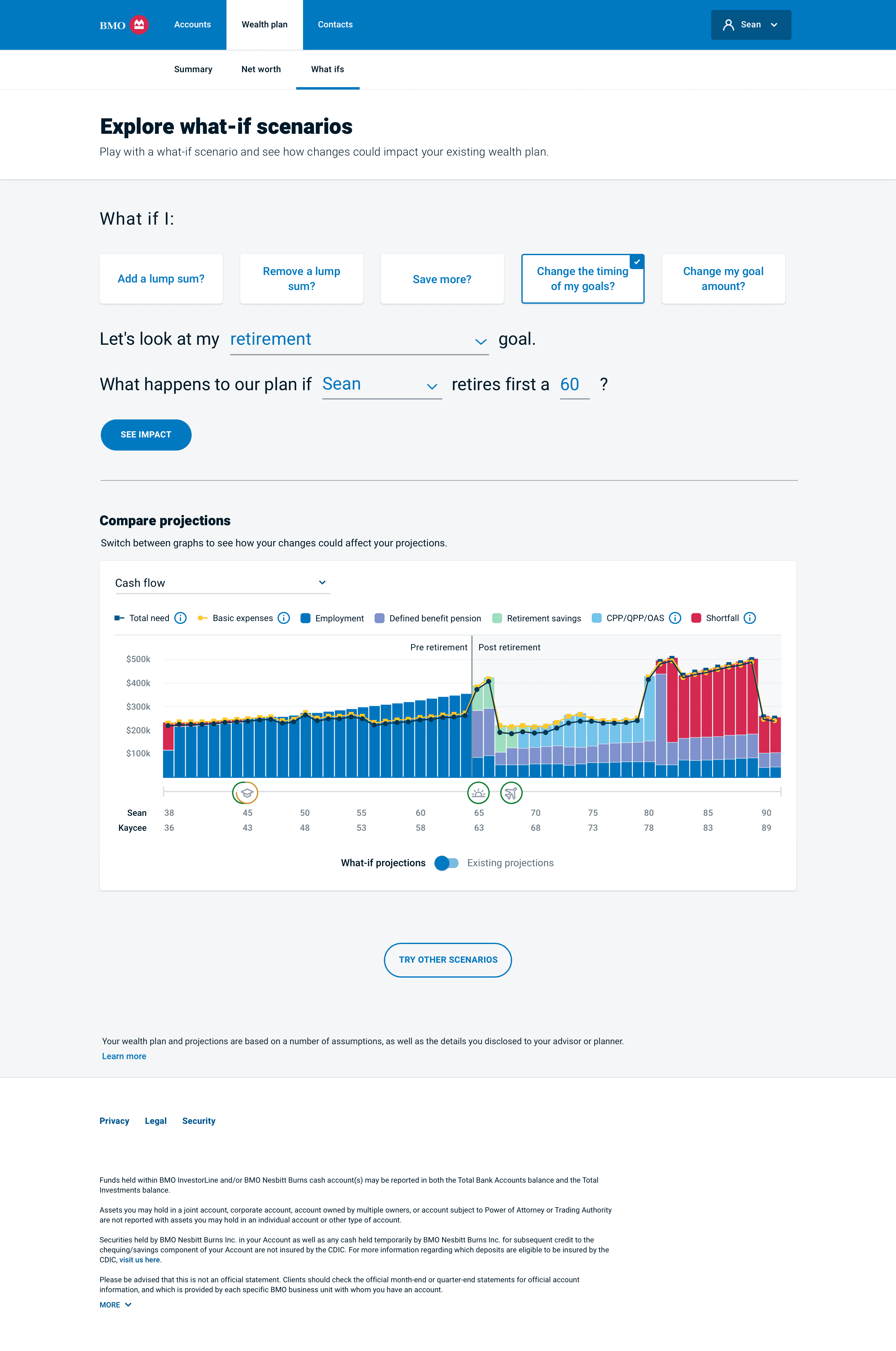
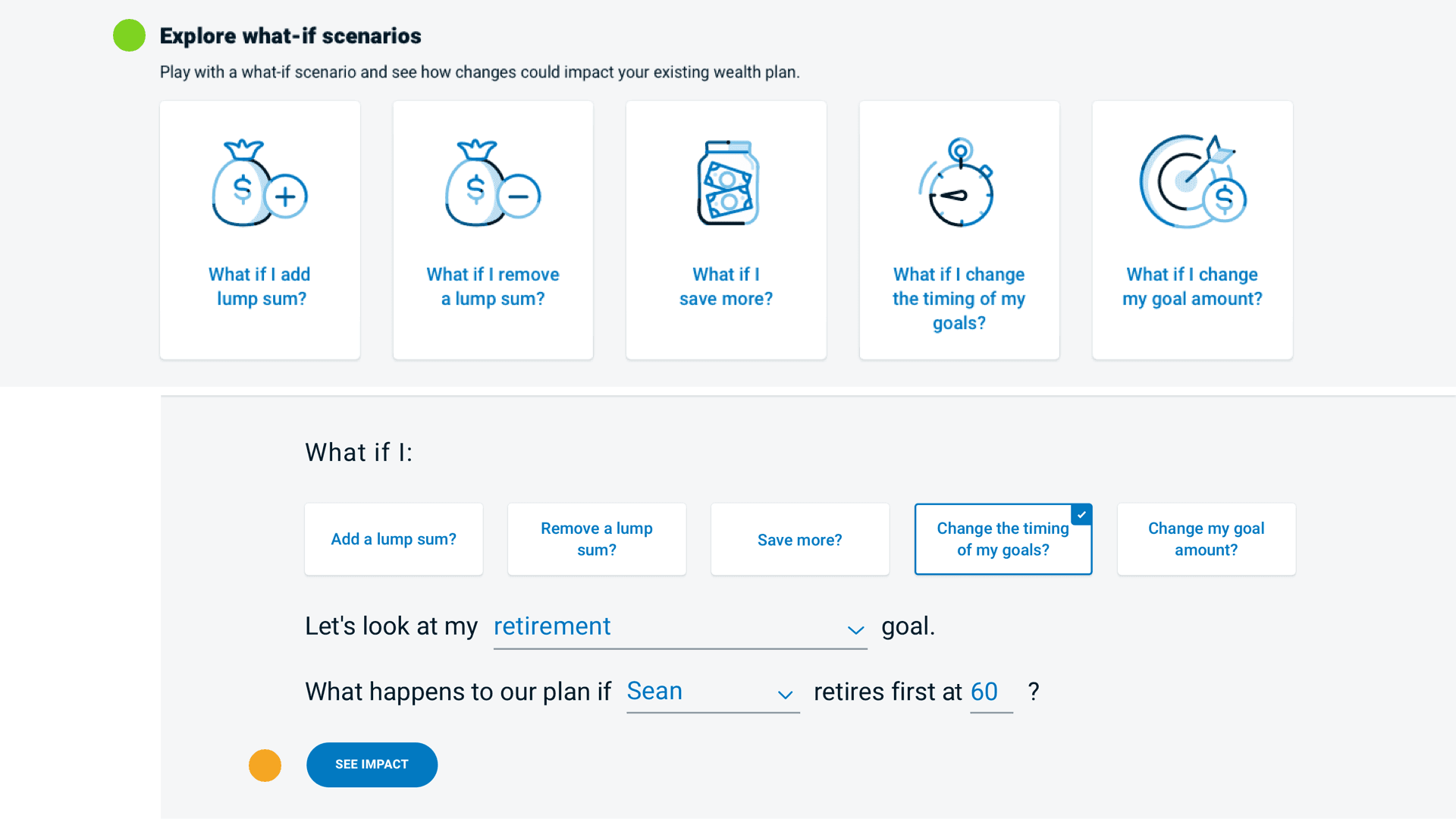
This interactive planning feature is a platform that allows clients to create actionable plans by inserting updated data and testing the proposed plan through generated scenarios. During usability testing, this feature shows how good user experience can improve user engagement. All users thought this would be a game-changer and they would use this feature to do their wealth planning which is a continuous event.
Responsive design solution
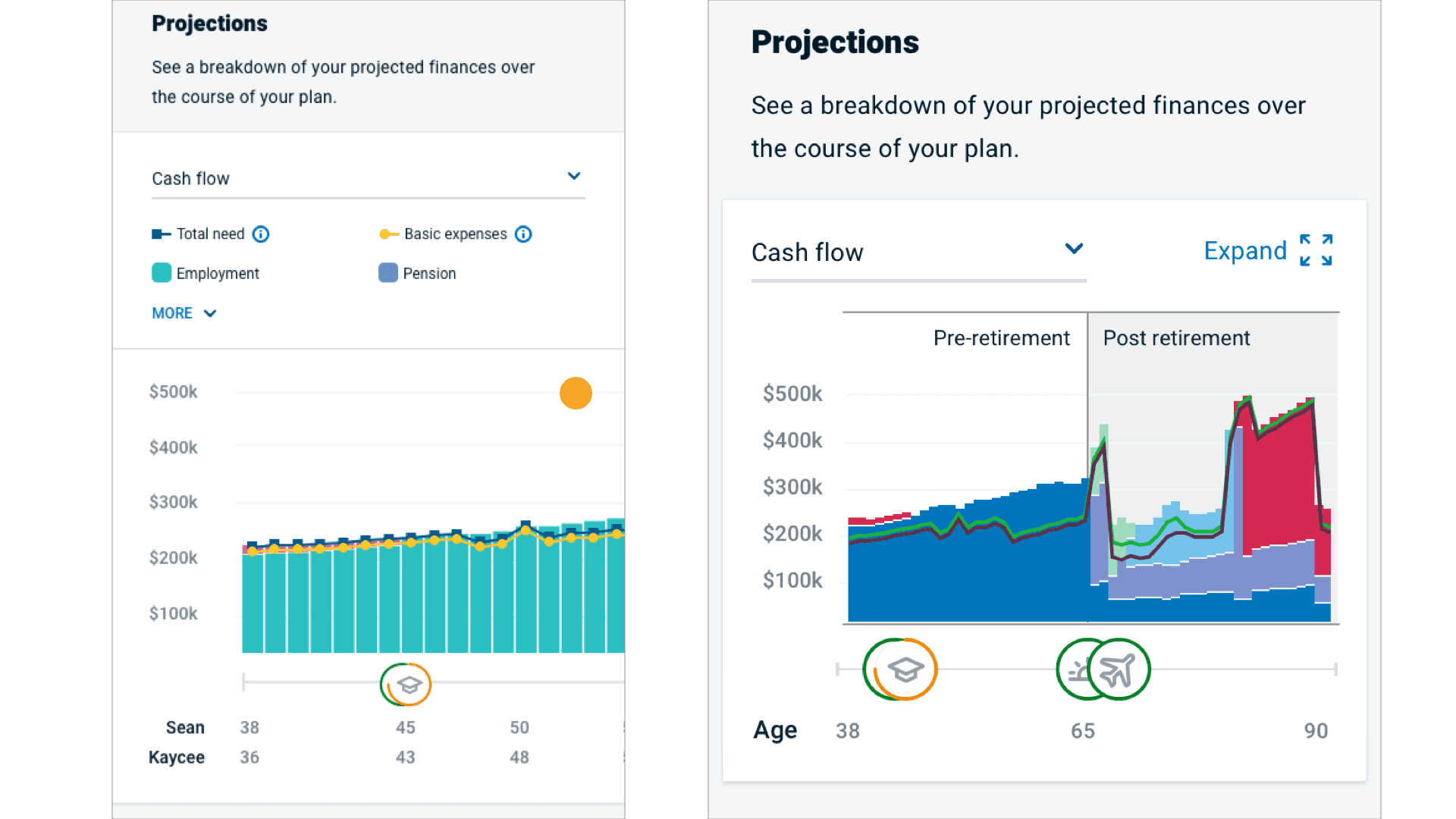
The first iteration of the financial chart on mobile screens was simply a side scroll interaction. I was able to get help from fellow designers and did a brainstorming section to finalize this design. In the first design on the left, users couldn't see a holistic view of their finance. Also, it is very hard to read and interact. Together my team has come up with an expand-fullscreen solution that users can view the chart easily on small screens. Kudos to team effort!
Final design solution