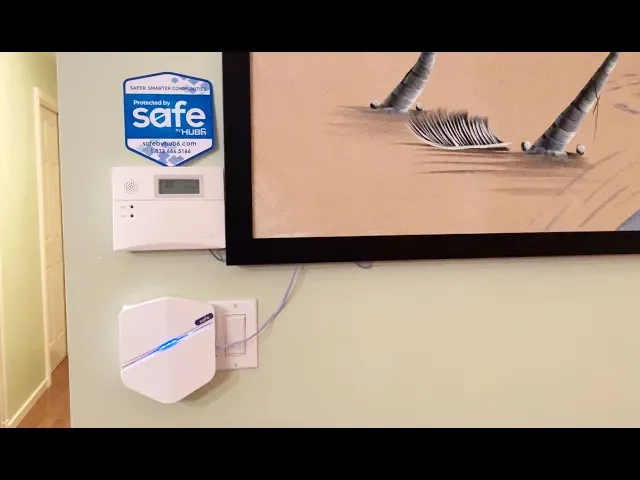
Home Safety System
Safe by Hub6
TL;DR: I led end-to-end design for Hub6’s first iOS/Android app, turning a fragmented “many devices, many apps” home security reality into a single, simple control center anchored by a one-time hub purchase (vs. recurring subscription models).
Industry:
Smart home
Role:
Lead designer for first iOS & Android apps
Year:
2018
Opportunity
Home security is a crowded market. Customers often own devices from multiple brands, each requiring its own app. These apps do not reliably interoperate, forcing users to juggle interfaces, repeat setup work, and lose confidence in whether their home is actually secure. This fragmentation creates ongoing friction in daily monitoring and control, and raises dropping rate during initial setup.
Cost is another barrier. Back in 2018, most home security providers charged a monthly subscription fee that required ongoing spending. Hub6 aimed to enter the market with a different model: a one-time investment in a hub that connects everything in one place.
Objective
Design an MVP mobile experience that:
Unifies monitoring and control for common home safety devices through the Hub6 hub;
Simplifies first-time setup so users can get to value quickly;
Creates a clear, trustworthy home status that supports fast decisions;
Establishes a scalable foundation for integrating additional device brands over time.
Results
Shipped the first Hub6 iOS/Android app design with foundational information architecture and flows.
Delivered core experiences: hub setup/onboarding, “My Home” status + quick actions, and neighbourhood watch concept.
Iterated based on business requirements and beta-user feedback.
Product and App demo
Product and App demo
Best Buy Canada, 2018
Design Process
Simplicity was the guiding principle behind the Hub6 app. The experience needed to be complete enough to support real home monitoring and control, while still feeling quick, clear, and effortless. Below are the core sections of the product.
Defining the MVP structure (Information Architecture + user flow)
To prevent the product from becoming “another app,” I defined a simple mental model:
A home contains properties/zones and activities
A single home safety status sits above activities
Users need quick actions more than deep configuration in daily use
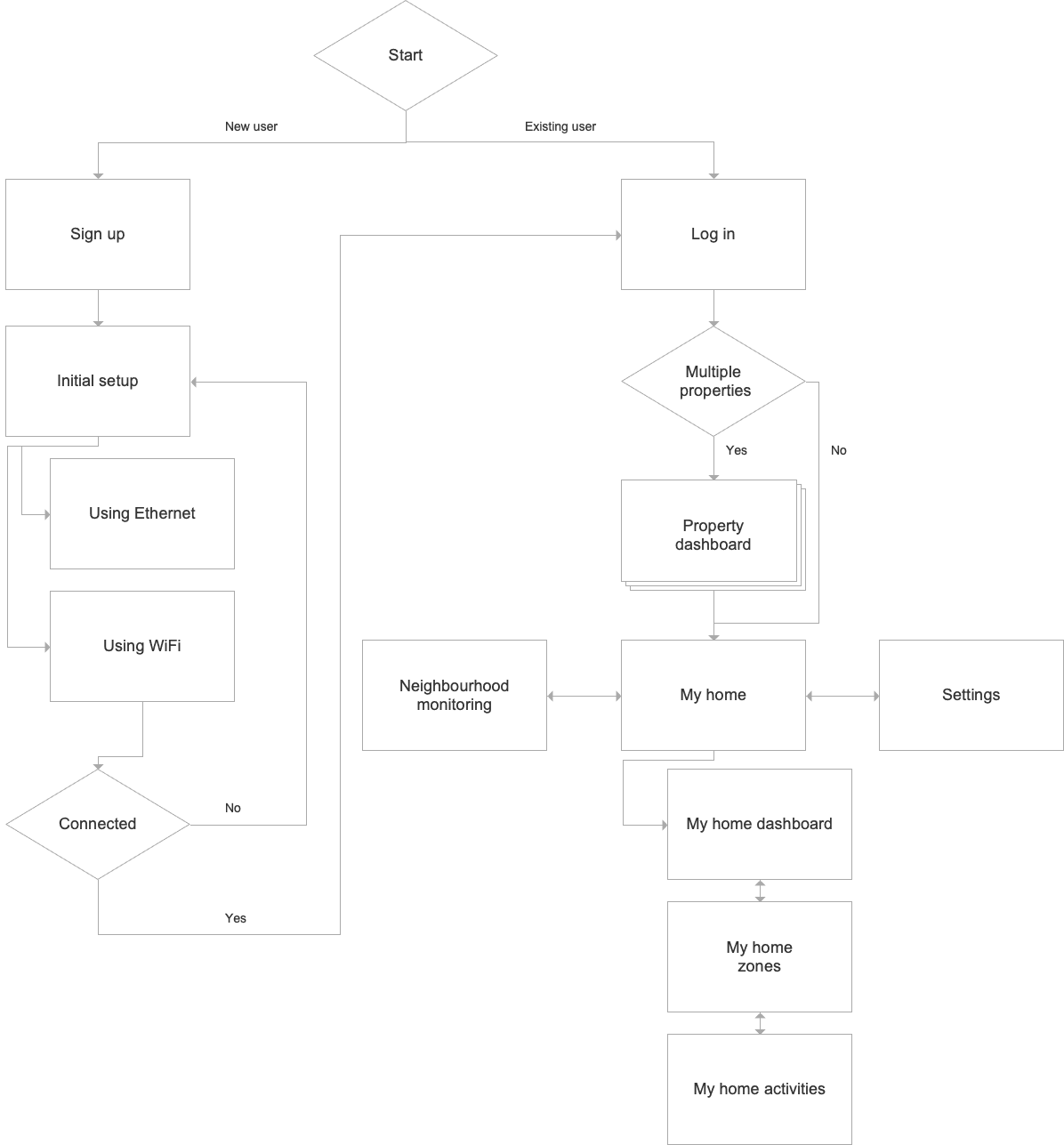
I mapped the app sections and their relationships in a user flow/IA diagram, then iterated based on business requirements and early client/beta feedback.
Designing the critical path: Setup and onboarding
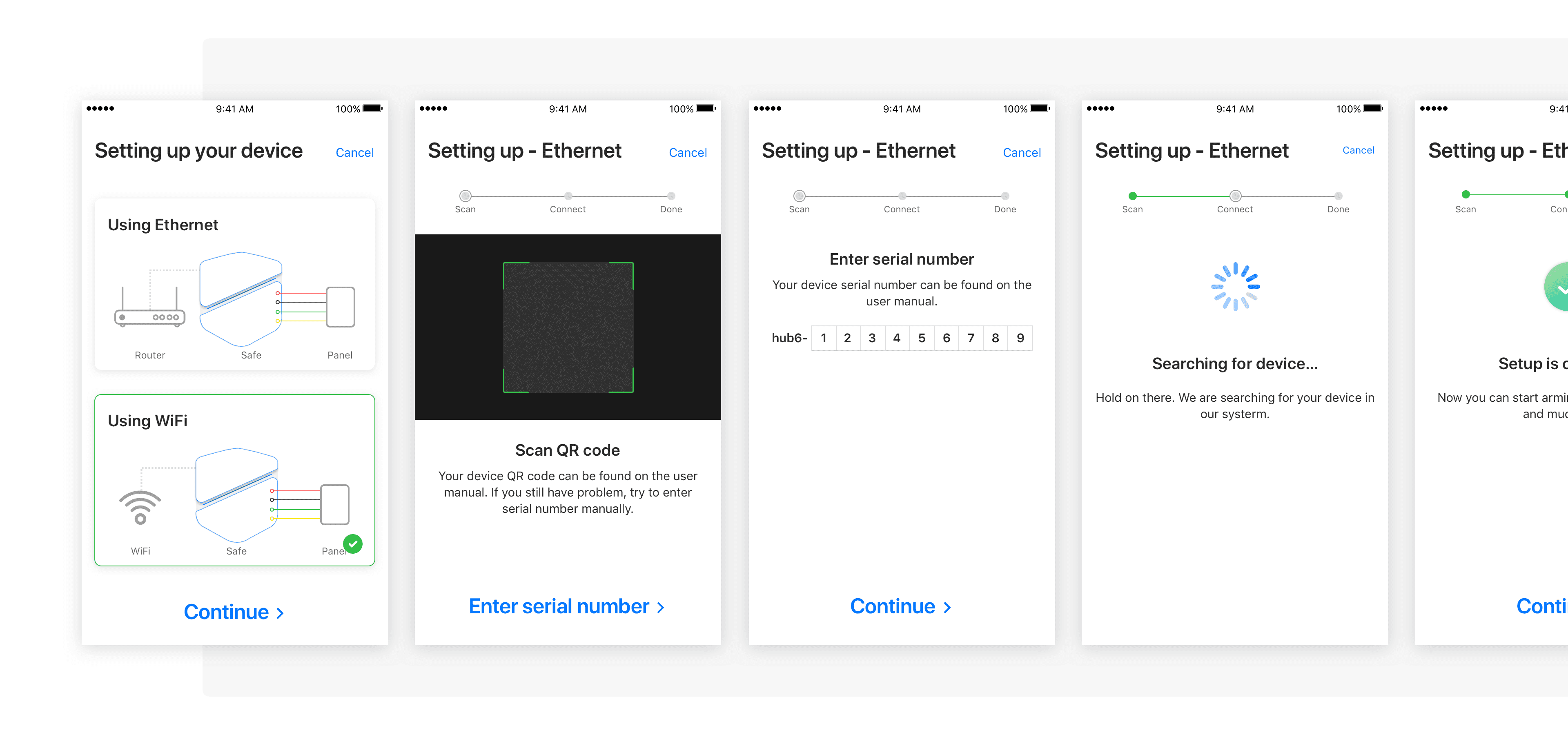
Setup is the first interaction and determines whether users ever reach value. The onboarding screens set expectations, while the setup flow guided pairing the hub with the app and connecting initial devices.
Designing daily value: My Home
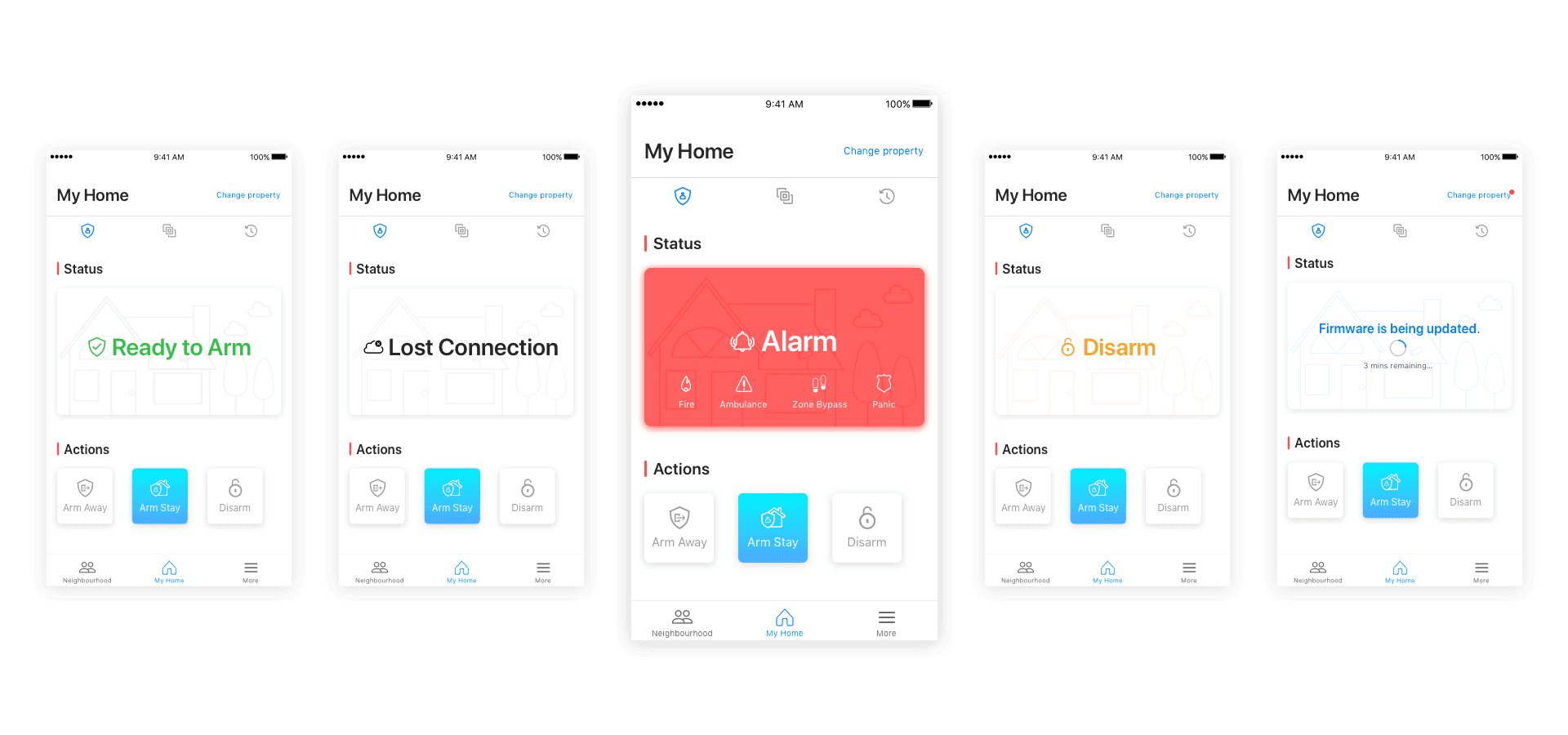
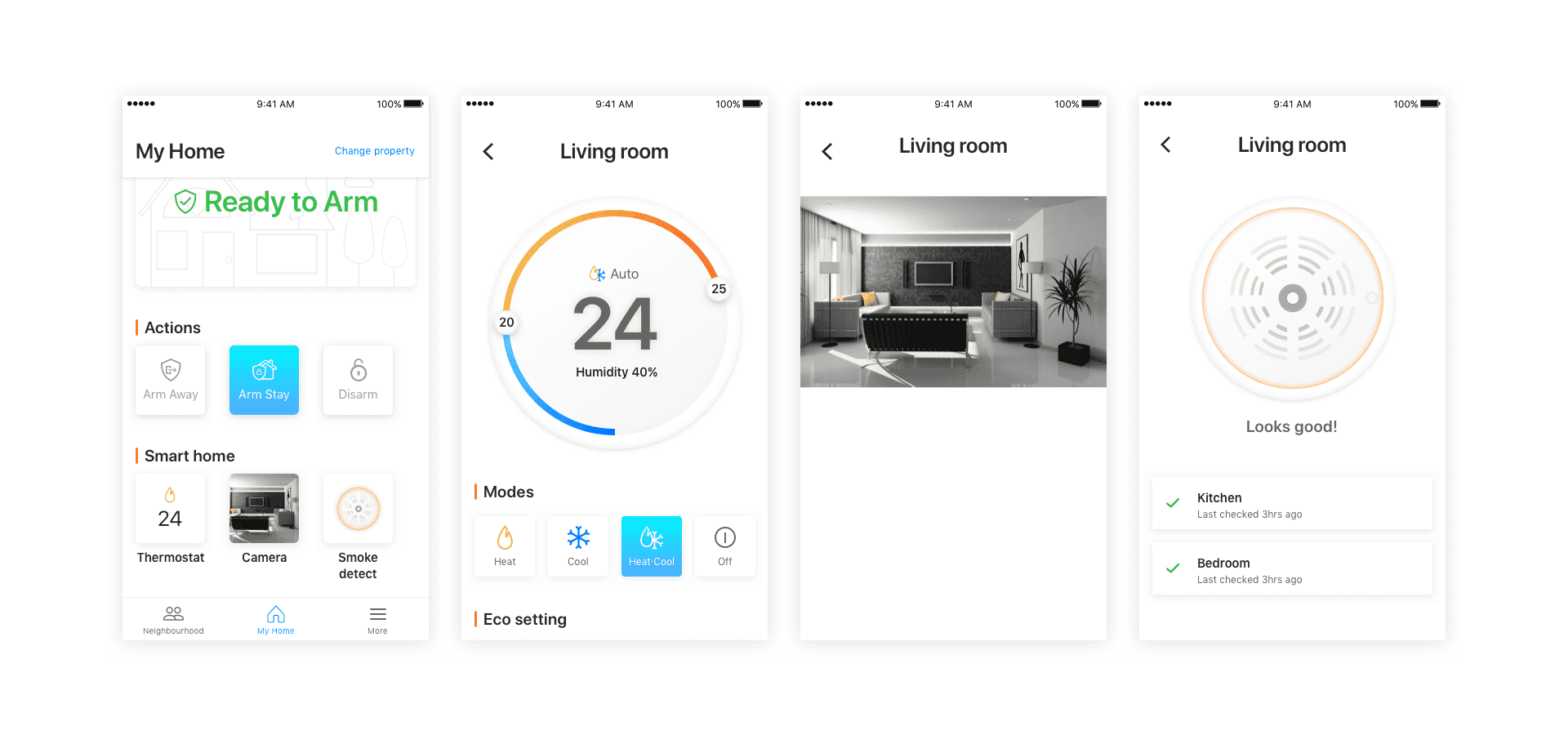
“My Home” was designed for glanceability and speed. Devices are presented as cards within a property - devices hierarchy, topped by the home safety status users care about most. I used color and iconography to communicate scenarios and reduce cognitive load. Quick actions let users change system states without drilling into device details.
Users can choose to quickly connect with home safety devices of other brands, such as thermostats, smoke detectors, and cameras. In the future state, the home safety system is managed with our app holistically.
Differentiation and scale: Neighbourhood Watch
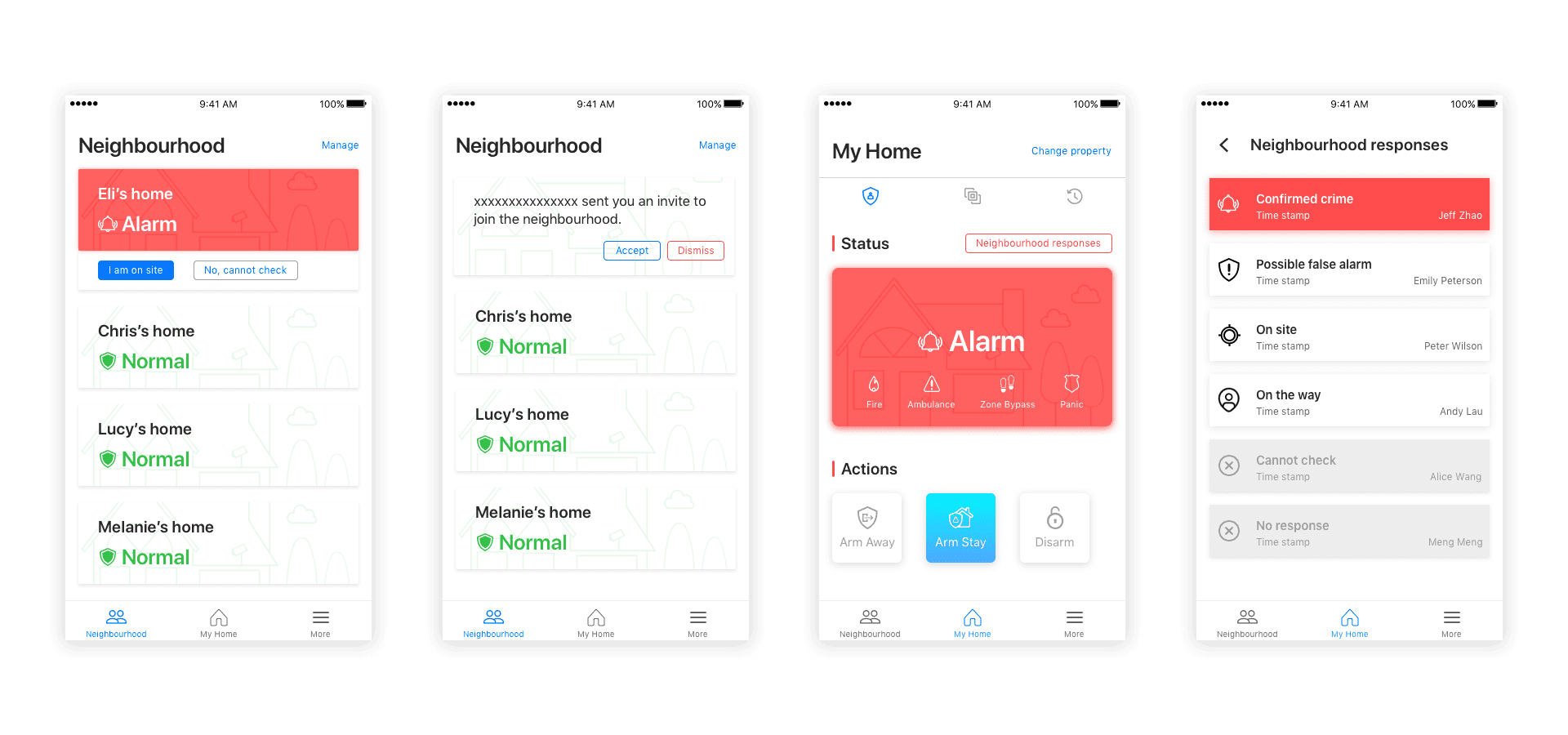
Neighbourhood watch was positioned as a community powered safety layer: Hub6 users can report suspicious activity and coordinate digitally without the overhead of organizing online or offline neighbourhood groups. This feature supported long-term retention and brand differentiation beyond device control.
Key takeaways from the journey
Sprint Zero requires explicit assumptions. I began this project in Sprint Zero, so the initial user flow was grounded in assumptions and technical feasibility rather than observed behavior. In practice, we were designing for a user who did not yet exist—only a mix of hypotheses and stakeholder expectations. I learned to make those assumptions visible, tie each one to a decision, and plan early validation once the product is testable. A new idea should not be rejected simply because evidence is limited; it should be structured as a hypothesis and verified quickly through a lightweight beta and targeted usability testing.
Competitor analysis is a practical substitute for missing data if used carefully. With no usage data to learn from, I used competitive products to identify common patterns, baseline expectations, and avoid UX mistakes. This reduced reinvention and accelerated progress, while still leaving room to differentiate where Hub6 had a clear advantage in their pricing model.